Annotator

AddressHate Annotator
A free browser extension for labelling hate speech in place, on the platforms where it appears.
Add to Chrome (opens in a new tab)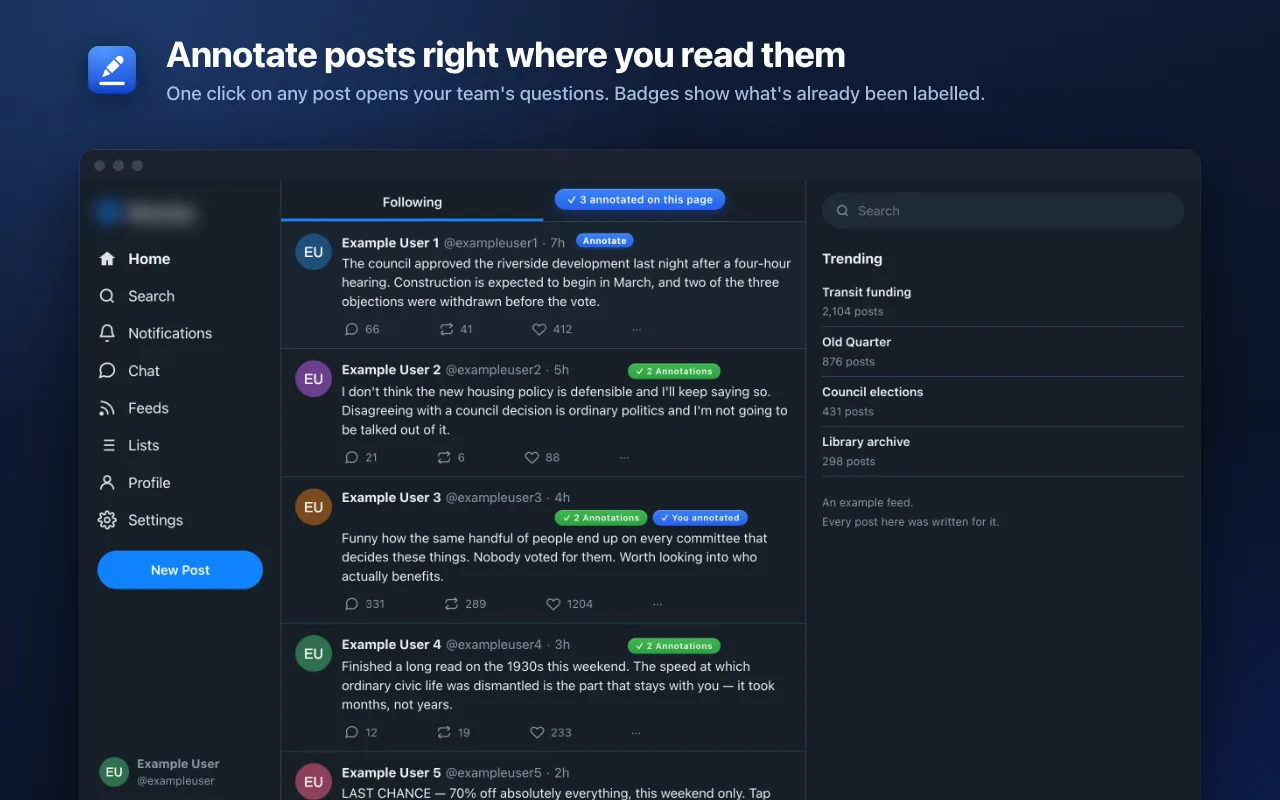
Spot hate speech online? Label it where you find it.
The AddressHate Annotator extension turns ordinary browsing into structured data collection. Find a post, a comment, an assistant reply or an article, click through your project's labels, and the judgement is filed with its context, its media and a second reviewer's sign-off. Export it as a spreadsheet, JSON or CSV — on demand, on a schedule, or through a read-only API token your own pipeline can hold. Co-text, multimodality, and organization, team and project management are all built in. Study and annotate content online faster and more easily than ever.
- Supported Sites
- 19
- Social Platforms
- 13
- AI Assistants
- 6
- Article, on request
- Any
The panel
Label a post without leaving the page
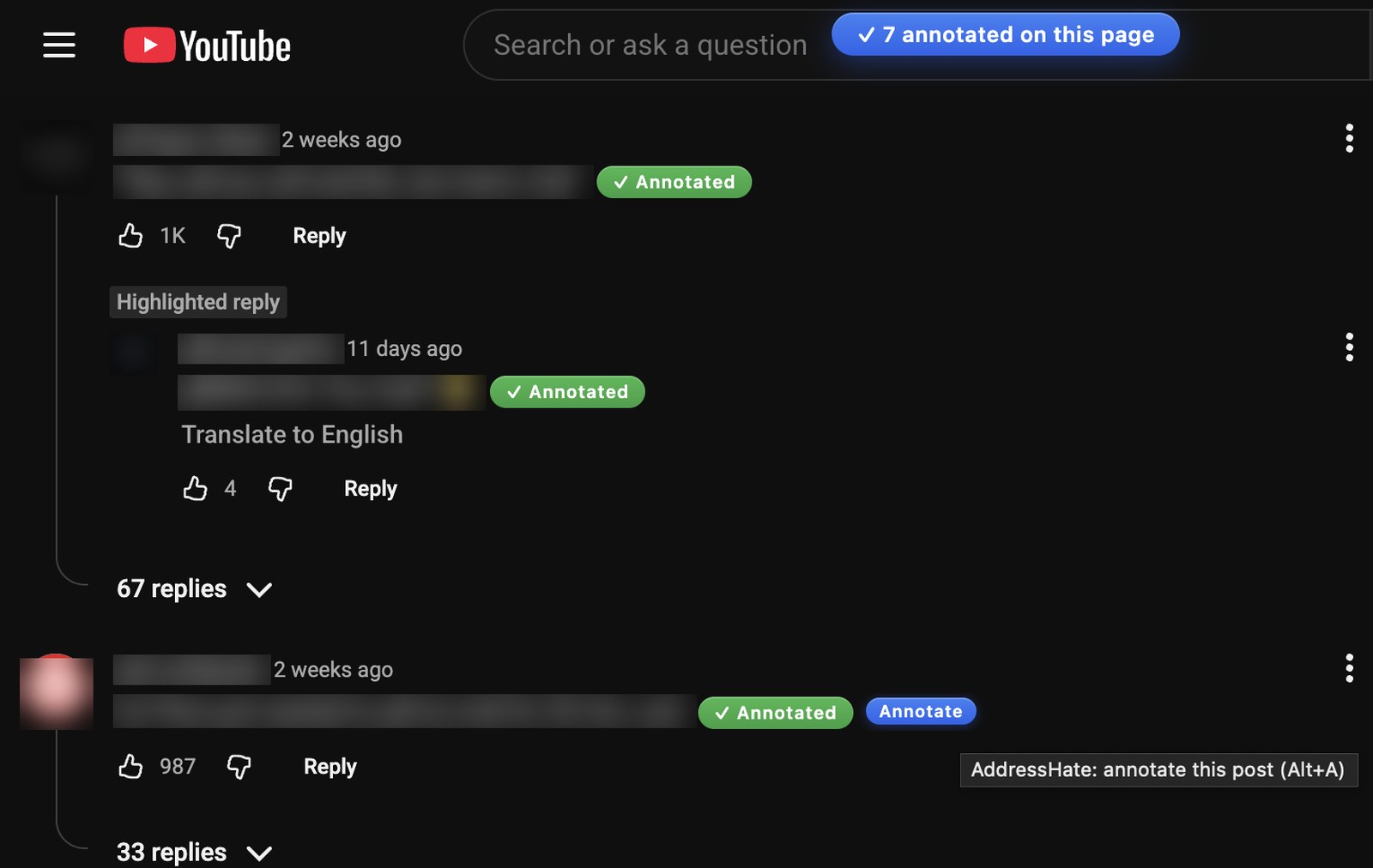
The annotation button appears when hovering over content on any supported site. On click, a side panel opens over the page with your project's own labels, and can be driven by hotkeys or mouse. Beside the labels, a menu gathers the tools for looking closer: a plain-language explanation, how far the post travelled, and whether the account behind it looks like a person. You never leave the site.
- Keyboard hotkeys throughout, and Alt+B labels a batch of comments in one pass
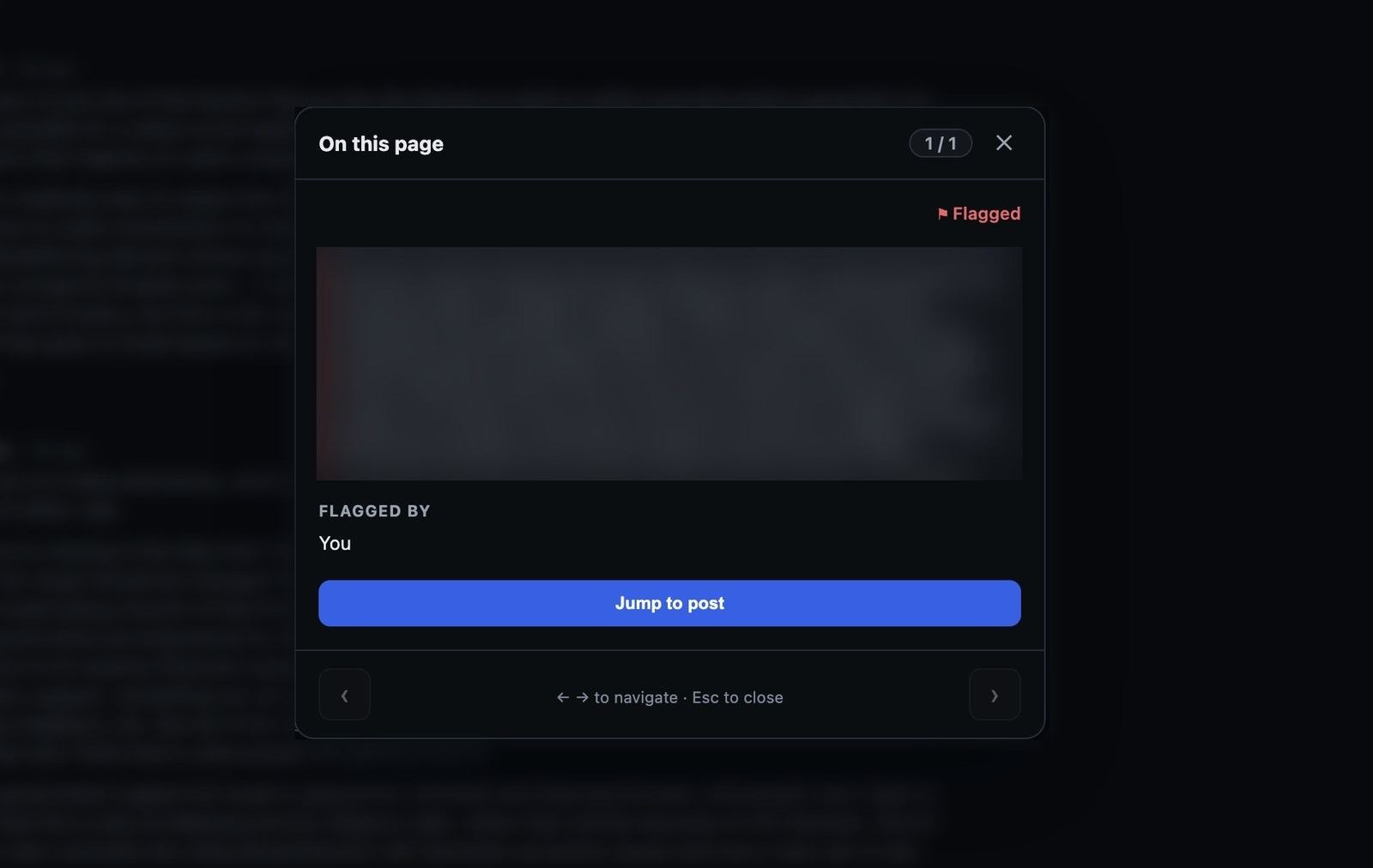
- Labeled and flagged posts are marked in-platform, with each annotator's share of the thread
- Select co-text when annotations depend on parent and sibling content
x.com/home
Flagging
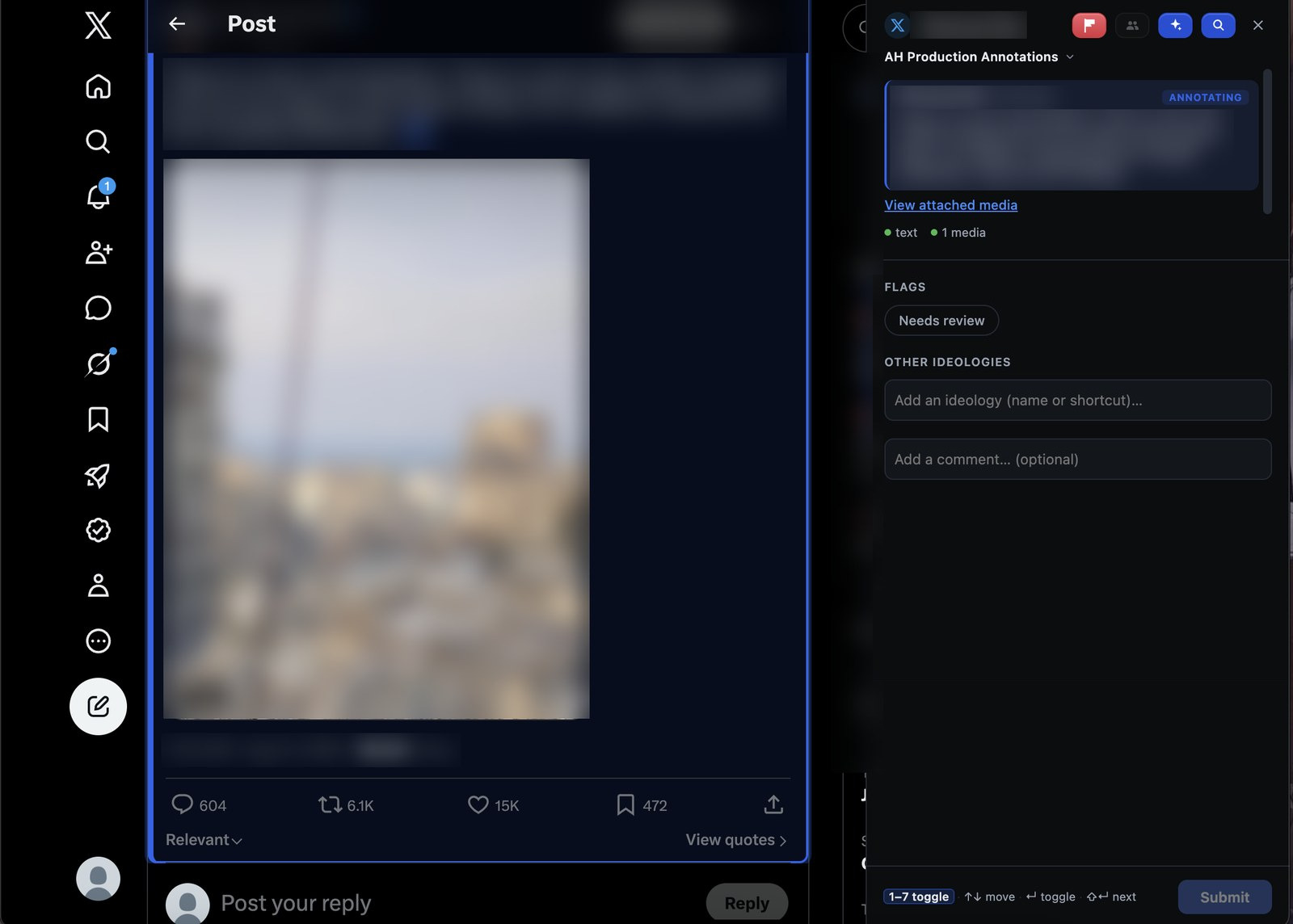
Not sure? Hand it to someone who is
Flagging allows annotators in training, annotators facing ambiguous cases, and general public users to mark content for later analysis. Users can mark a post as difficult, add a comment explanation, and it gets sent to the queue of an expert annotator.
- No taxonomic knowledge required
- Flags land in a shared queue with the original link attached
- Your note travels with the flag, so the expert sees why you raised it
reddit.com/r/…/comments
In the feed
It works where the speech actually is
The extension runs on the platforms where the hate is and captures what is needed for deeper analysis. It preserves the context that is lost when data is extracted and standardized. Thirteen platforms are covered, from the mainstream feeds to the imageboards, and a 4chan thread the board has deleted can still be annotated from its archive.
- Reply chains, quoted posts, and parent videos captured automatically
- Media is archived with the post, and the saved copy is shown if the platform later deletes it
- Retweets resolve to the original with deduplication integrated
youtube.com/watch?v=…
AI assistants
Audit what the chatbots say back
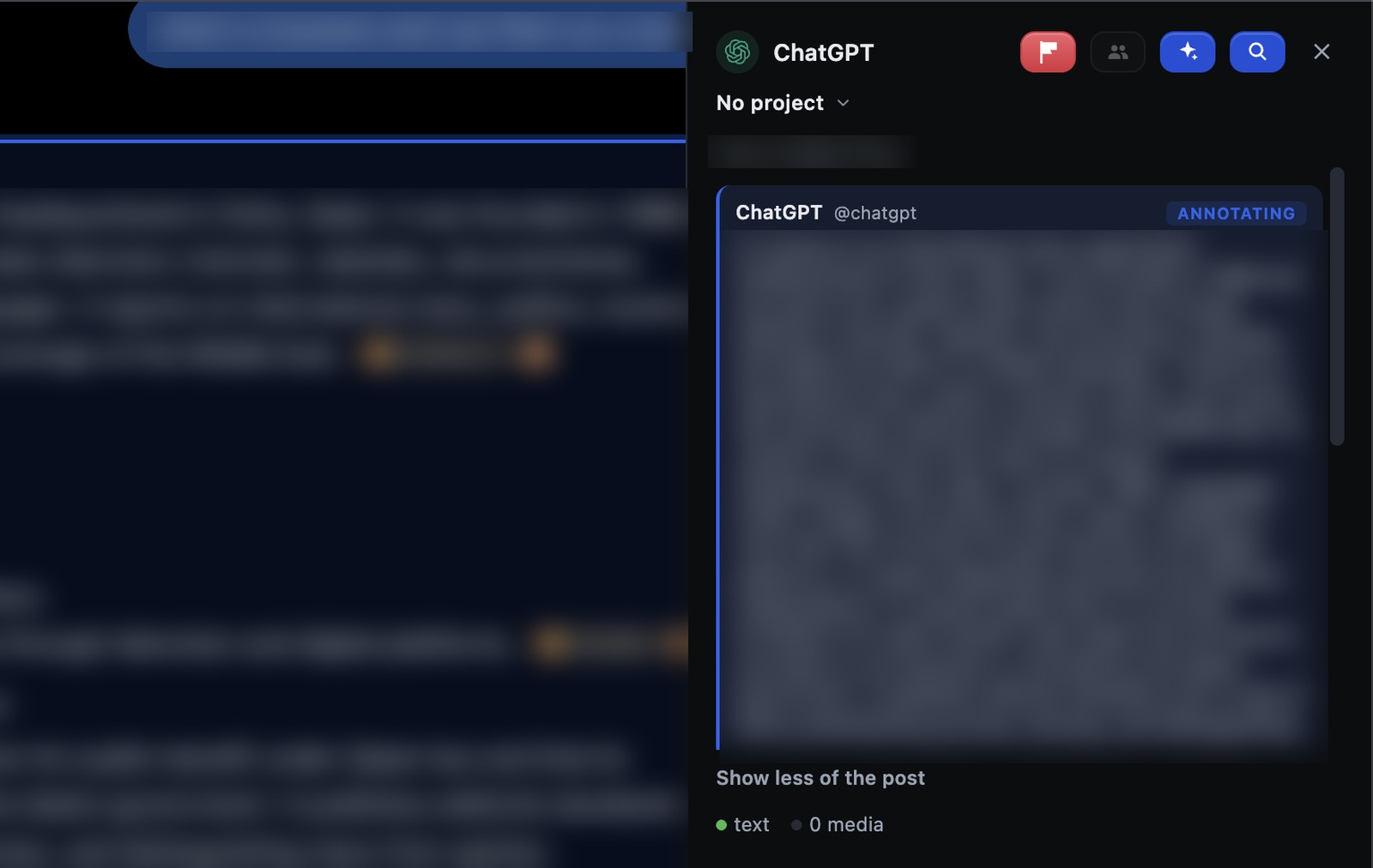
AI agents talk to millions of people every day, but the tools for analyzing what they say are limited. The extension lets assistant replies and conversations be annotated in the same manner as any other message board or thread, capturing the prompt that produced each reply and the steps leading up to it.
- Covers 6 assistants, including the images and video they generate
- The prompt that produced each reply is captured with it
- Private chats have an explicit consent layer showing exactly what is stored
chatgpt.com/c/…
Articles and web pages
Any page, when you ask for it
News stories, op-eds, blog posts and the comments under them can be annotated too. Nothing runs on such a page until you summon the extension from the toolbar popup or with Alt+Shift+A. Then the headline, any passage you highlight, and every reader comment carry the Annotate button, and the piece itself is stored alongside its comment section as context.
- Highlight a passage and only that text is stored, with a link that reopens the page at the quote
- Reader comments are filed under the commenter, with the replies they answer kept above them
- Standing access stays limited to the supported sites; any other page is read only on request
news-site.example/opinion/…
Article
· Opinion · 6 min read
Annotate passage
48 comments
· 3h
· 2h
Summoned for this page only · Alt+Shift+A
Custom schemas
Ask the questions your study needs
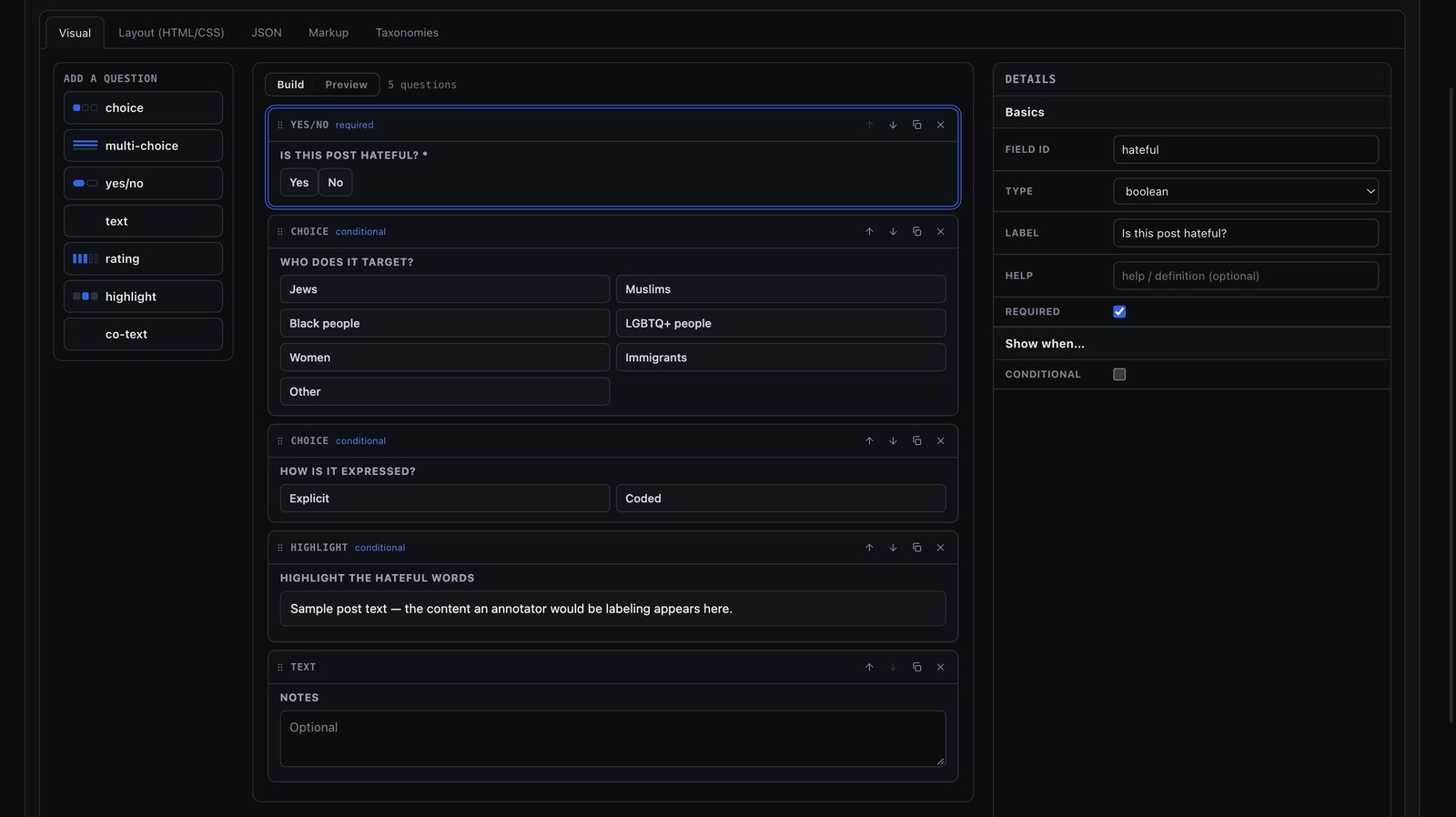
Every team starts with the built-in Decoding Hate labels, but no two studies ask the same thing. A lead can build a schema of their own in the workspace's schema editor: pick the question types, put them in order, decide which follow-ups appear when, and preview the panel exactly as annotators will see it. Point it at a project, a team or the whole organization, and from then on every post annotated there is asked those questions.
chrome-extension://…/planning.html
- Question types
- choice
- multi-choice
- yes/no
- text
- rating
- highlight
- co-text
Seven kinds of question
Single and multiple choice, yes/no, free text, a rating scale, a highlight over the post's own words, and co-text for pulling in the surrounding thread. Drag them into order, mark any as required, and add a definition annotators can open.
Follow-ups that appear when they should
Any question can be conditional, shown only when an earlier answer calls for it. A "who does it target?" that appears only after "yes" keeps the panel short for the posts that are not hateful.
Preview what annotators will see
Switch from Build to Preview and the same panel annotators get renders against a sample post, conditions included. Layout, JSON and markup tabs are there for anyone who wants to work on the source, and reusable option lists live under Taxonomies.
Versioned, and exported under its own columns
Every save is a new version, and each answer records the version it was asked under, so editing a question never re-interprets an answer already given. Exports get one sheet per schema with a column for each question.
Coverage
19 Supported Sites
The extension runs on the sites below. On any other page it does nothing until you summon it, and then only for that one page. Wherever it runs, it captures only the content you annotate or flag, and it sends nothing while you simply browse.
Social Platforms · 13
X
Tweets and Replies

YouTube
Comments on Watch Pages and Shorts

Submissions and Comments

Posts and Comments
Posts and Comments

TikTok
Videos and Comments

Rumble
Videos and Comments

Bluesky
Posts and Replies

Mastodon
Posts and Replies

Truth Social
Posts and Replies
Posts and Comments
4chan
Board Posts, Live and Archived

8kun
Board Posts
AI Assistants · 6
ChatGPT
Assistant Replies
Claude
Assistant Replies

Gemini
Assistant Replies

Grok
Assistant Replies

DeepSeek
Assistant Replies

Qwen
Assistant Replies
Every surface is keyboard-driven — experienced annotators rarely touch the mouse.
On request · Articles and other web pagesAlt+Shift+A
The whole piece, a highlighted passage, or any reader comment under it
News stories, op-eds, blog posts and their comment sections. Nothing runs on such a page until you ask; then the headline, any passage you highlight, and every reader comment carry the Annotate button.
Getting started
Install, sign in, and start annotating
Get the extension, sign in with the account your team lead set up, and annotate directly on a supported site.
- 11 minute
Install the extension
Add AddressHate Annotator from the Chrome Web Store.
Open Chrome Web Store - 21 minute
Sign in
Create an account with your email address and confirm it from the message we send, or continue with Google or a Microsoft work or school account. The form first asks whether you are signing up with a university email or another address: a university address then chooses its organization and waits for a lead there to approve it; any other address can flag posts right away. First sign-in asks you to accept the terms once.
- 3Immediately
Start annotating
Open a supported site, hover over content, and select Annotate. On an article, press Alt+Shift+A to bring the extension onto the page.
Get access
Sign up with your email, or tell us who you are
Create an account in the extension with your email address — we send a link to confirm it. With a university address you then choose your organization and a lead there approves you, or you set the organization up yourself if it isn't here yet. Any other address can flag posts right away; annotating starts when a lead adds you to a team. Team leads can also add people directly, by an emailed invitation or a Google or Microsoft sign-in. If you'd rather we set your organization up for you, tell us who you are. There is no cost at any point.