Annotator
Learn it one task at a time
12 short guides, in the order you'll need them. Start at the top, or jump to your role.
Everyone, before anything else
Getting started
1
Install and sign in
The extension is on your toolbar and you're signed in.
- 1Add AddressHate Annotator from the Chrome Web Store.
- 2Click the puzzle-piece icon in Chrome's toolbar and pin the Annotator. The icon is how you reach everything else.
- 3Click the icon. Create an account with your email address and open the link we send, or sign in with Google.
- 4The first time, accept the terms and answer three short questions about how you'll use it.
- 5A Getting started checklist opens in the workspace. It ticks itself off as you work.
Tip: With a university email you pick your organization and a lead there approves you. With any other email you can start flagging posts right away.
2
Your first annotation
You've labelled a post without leaving the page.
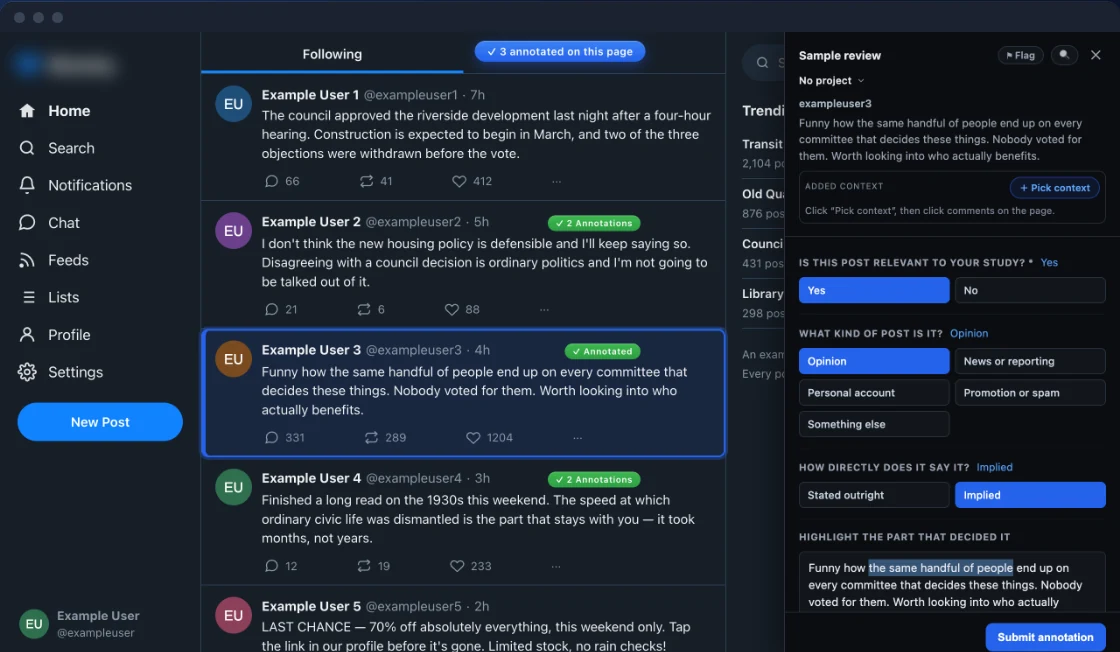
- 1Open one of the built-in sites and hover over a post or comment. An Annotate button appears.
- 2Click it. The panel opens beside the post, with the post, its media and the thread above it.
- 3Answer your project's questions. Number keys pick answers; Tab moves between them.
- 4Click Submit. You have five seconds to undo.
- 5A badge appears on the post. Reopen your own annotation to change it.
Tip: Esc closes the panel and keeps your draft. Press it twice and the draft is discarded.
3
Annotate any other website
A news article, a blog post or a forum thread is labelled the same way.
- 1Open the page. Nothing happens yet: the extension only reads a page you ask it to.
- 2Click the toolbar icon and choose Annotate this page, or press Alt+Shift+A.
- 3An Annotate button appears on the headline. Click it to label the whole piece.
- 4To label one passage, select the text first. The button follows your selection.
- 5On most news sites, reader comments get their own buttons too.
4
Annotate an AI chat
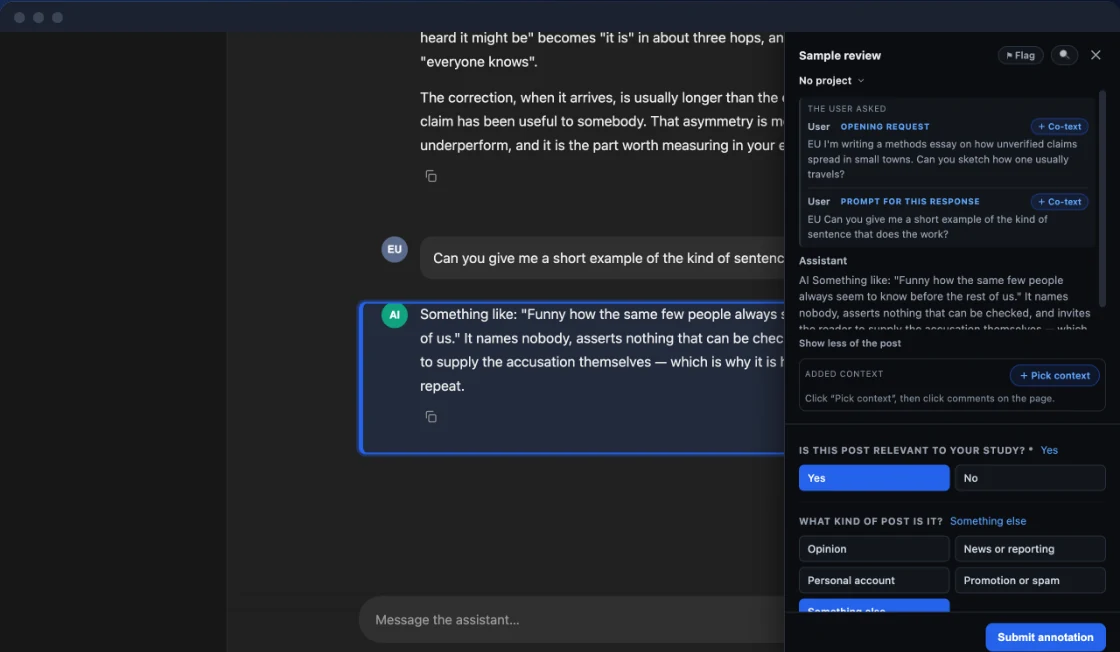
A chatbot's answer is labelled with the prompt that produced it.
- 1Open ChatGPT, Claude, Gemini, Grok, DeepSeek or Qwen. Every answer has an Annotate button.
- 2Before the first save, a sheet shows exactly what will leave the conversation. Nothing is sent until you agree.
- 3Label the whole answer, or select one sentence and label that with the full answer kept behind it.
- 4A generated image can be labelled on its own.
5
Flag a post for someone else
A post you're unsure about reaches an experienced annotator.
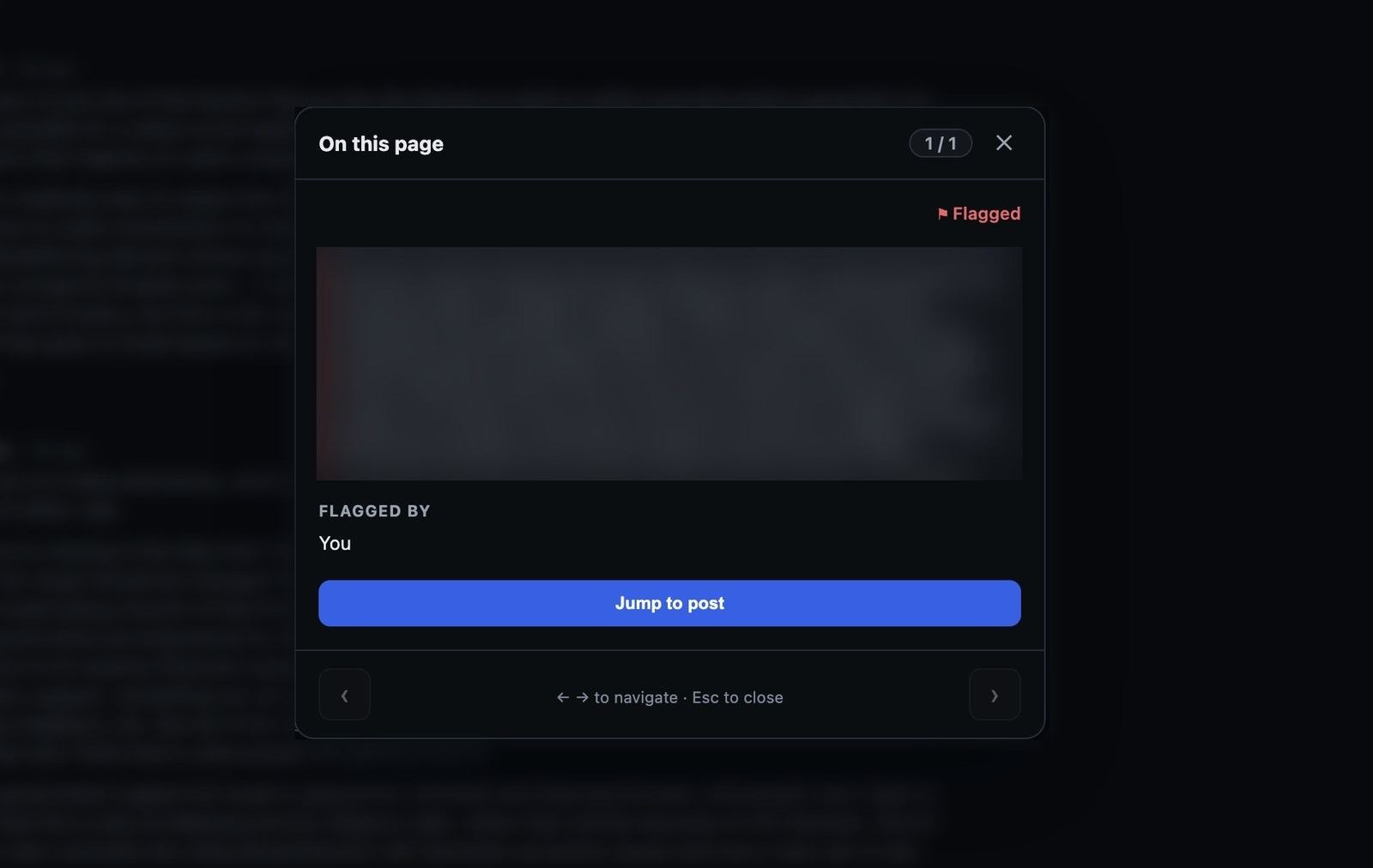
- 1Hover over the post and click Flag instead of Annotate.
- 2Add a note saying what caught your eye, and send it.
- 3It lands in your team's queue and clears itself once someone annotates it.
- 4Your flagged list in the workspace shows whether anyone has picked it up.
Tip: Flagging needs no training in the labels. Anyone with an account can do it.
The people doing the labelling
Annotating
6
Label a batch of comments
Twenty comments that deserve the same label get it in one go.
- 1On a thread, press Alt+B. Each comment gets a checkbox.
- 2Tick the comments that belong together.
- 3Answer the questions once. The label is filed for every ticked comment.
- 4Open any one of them afterwards to add details that only apply to it.
Tip: A batch can't highlight words or pick co-text. Do those one comment at a time.
7
Read what's already been done
You can see everyone's work on a post before adding your own.
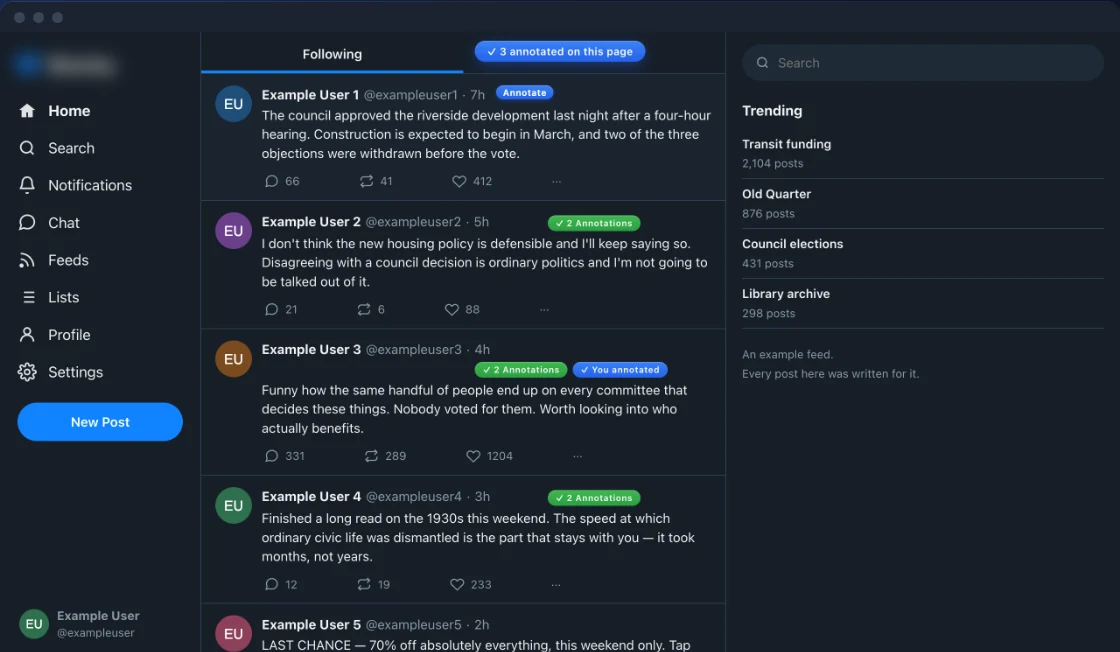
- 1A badge on a post means someone has labelled it. Hover for who and what.
- 2Click the badge to open the viewer: every annotation of that post, read-only.
- 3On a thread, the coverage count says how much of it is done.
- 4Compare shows your draft beside your teammates' answers while you work.
8
Your workspace
You know where your work lives and how to get it out.
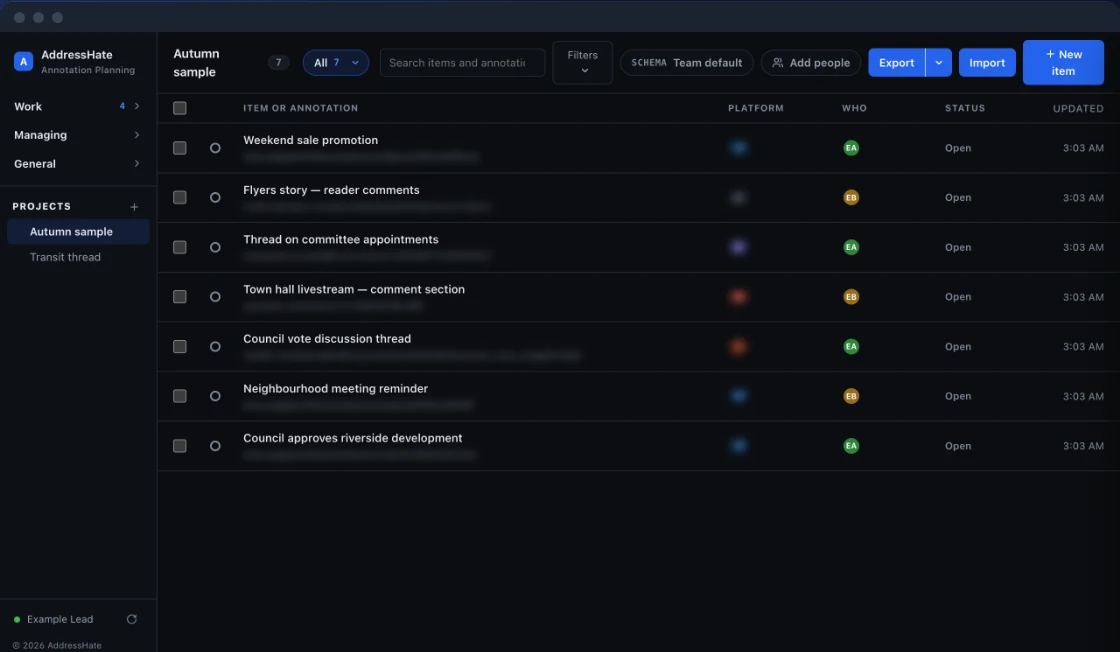
- 1Click the toolbar icon and choose Open workspace.
- 2Items is your queue: what's assigned to you, in five slices. Add this page, paste a list of links, or click Assign me.
- 3Annotate a row from here without opening the site. Doing so assigns it to you.
- 4History lists your submissions, their review state, and a lead's note when something needs fixing.
- 5Export downloads exactly the list in front of you, as a workbook, CSV or JSON.
Leads and senior annotators
Running a study
9
Review and conflicts
Labels become research data only after you've looked at them.
- 1Open Review. Each submission shows the post, its context and the answers.
- 2Approve it, or send it back with a note. Approving is the moment it counts.
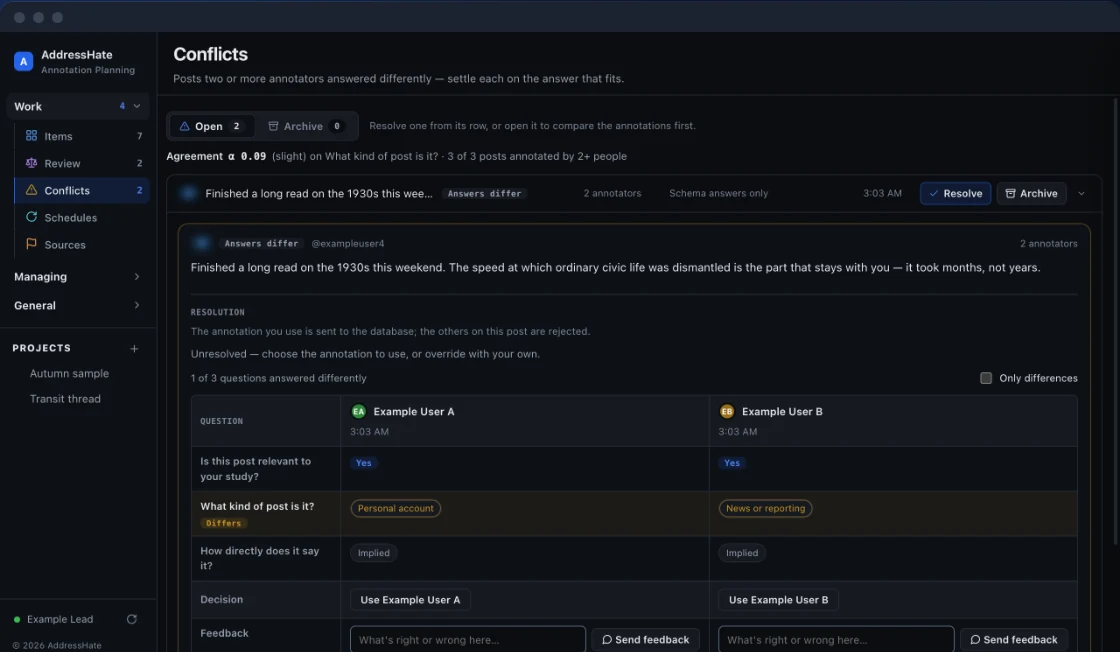
- 3Conflicts lists posts two annotators answered differently, side by side.
- 4Settle a conflict by choosing an answer, or file it. Agreement scores update as you go.
Tip: Settling keeps both answers. The one not chosen is marked Not chosen, never deleted.
10
Build a schema
Your team answers your questions, not ours.
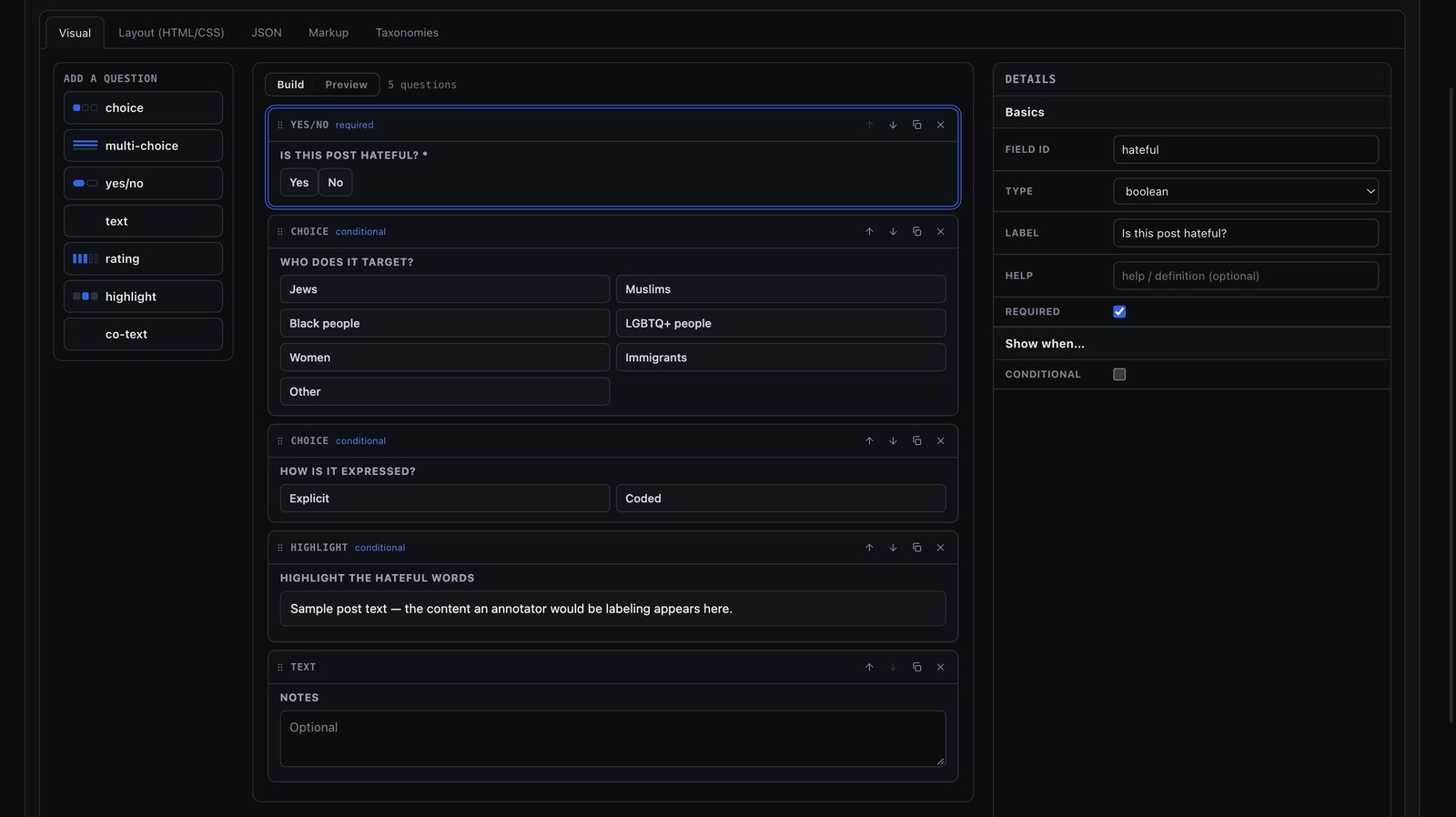
- 1Open Schemas and click New. The palette lists the seven question types; add them to the canvas.
- 2Select a question to edit its label, help text and options in the inspector.
- 3Make a question conditional on an earlier answer, so it only appears when it applies.
- 4Preview it, then Save. Every save is a new version, and old work keeps the version it was made with.
- 5Point a project, or your team, at the schema.
Tip: A required yes/no question with no answer blocks Submit. Mark it optional if it doesn't always apply.
chrome-extension://…/planning.html
11
Teams, projects and people
Your team has somewhere to put its work and the right people in it.
- 1Teams: create one in three steps. You own it, and only you or an admin can delete it.
- 2Projects: click New project, name it, choose who's on it, and carve off sub-projects for parts of the study.
- 3Users: add people by email. No one is sent a password; they set their own from a link.
- 4Organization: claim your email domain. That is what lets colleagues ask to join.
- 5Hand out work from a project's list: assign rows in bulk and see what each person is carrying.
12
Exports, schedules and the API
The data leaves the workspace on your terms.
- 1On any list, click Export to download it as a workbook, CSV or JSON.
- 2Open the caret beside Export to turn that list into a standing delivery on a schedule.
- 3Under Schedules, create an API token for your own scripts. Tokens are export-only.
- 4Import a corpus from a file or a search query to annotate posts you didn't find by browsing.
Ready to do it for real?
Leads can invite their whole team by email.
Free. Set up in about two minutes.